


Photo Recover Sweep
4.27.00 Reviews
App Specs
- Version
- 1.3.0.0
- Updated On
- License
- Free
- Downloads
- 1,000,000+
- Developer
- VBX ENTERPRISES LTD
- Categories
- Tools
- Platform
- Android
Screenshots
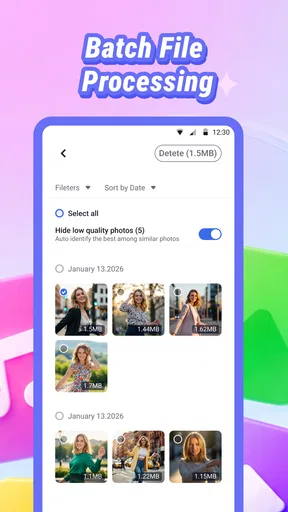
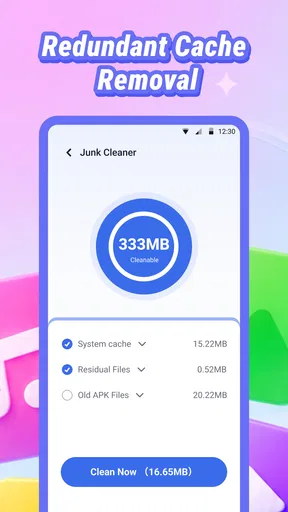
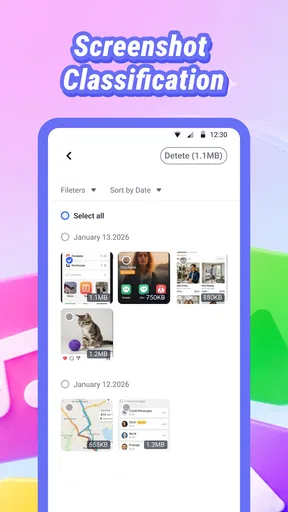
 Analysis by AppCompare
Photo Recover Sweep is aimed at a frustratingly familiar moment: a picture or video seems to have vanished, and you want to check whether it can be brought back before giving up. I like the idea of a focused recovery tool, but I’d approach it as a careful first check, not as a promise that every deleted file can be restored. Recovery depends on what happened to the file and what the phone has done since.
This is a free Android tool from VBX ENTERPRISES LTD, with an Everyone age rating. Its name and purpose are easy to understand, which matters when you are stressed and trying to find a missing photo. The practical question is whether it fits your situation: it is most useful when you want to search from your phone, while a built-in Recently Deleted folder, cloud backup, or computer-based recovery process may be a better first step in other cases.
Start with the simplest recovery path
I like starting this section with the least disruptive checks, because a missing file may still be sitting in the gallery’s deleted-items area or an existing backup. From there, I can decide whether a phone-based search is worth trying and keep the search focused on the place and type of file I actually lost.
Check where the file went before scanning
When an image disappears, I first check the phone’s gallery trash or recently deleted area, then any cloud photo service I already use. Those places are often the quickest route because they may retain the original file without requiring a recovery scan. If the photo was removed from a removable card or a file manager, the route can be different, so I would note where it was stored before opening Photo Recover Sweep.
That small bit of preparation makes the app more useful. Think about whether the missing item was a photo, video, or another file, whether it was stored on the phone or a card, and roughly when you last saw it. You do not need to remember an exact timestamp; even distinguishing “today” from “months ago” helps you judge whether a recovery result is plausible.
Use a scan as a search, not a guarantee
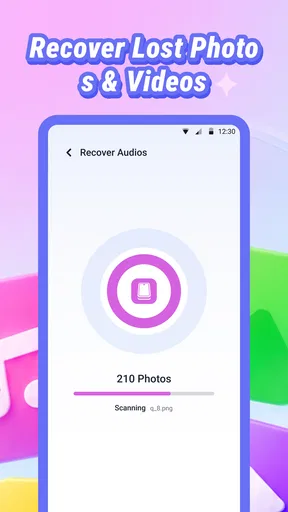
Once you try the app, treat any results as candidates to inspect. A file name or thumbnail may not tell the whole story, so check whether the preview is actually the image or clip you need before relying on it. If the app presents several similar items, compare them patiently rather than restoring the first one that looks close.
Most importantly, avoid creating lots of new data while you are trying to recover something. Taking more photos, downloading large files, or recording video can use storage that might otherwise have held traces of a deleted item. This is a general recovery precaution, not a special mode in the app; the sooner you stop unnecessary activity, the better your chances with any recovery method.
Worth Reading Before You Choose

Baby Panda World Brings Quick Play to Modern Phones, but Its Game Library Feels Busy

ESPN’s Live Game View Makes Following Close Games Easier

QuizzLand Review: A Good Fit for Short Trivia Breaks, Not Every Player

Basketball Stars: Multiplayer Is Fast, but Can It Recover When Matches Go Wrong?

WEBTOON Turns Phone Updates Into a Better Reading Routine

Link to Windows Runs on Shared Habits, Not Social Feeds
For an everyday example, imagine deleting a family picture while clearing space before a trip. I would pause the cleanup, check the gallery’s deleted-items area and cloud backup, then use Photo Recover Sweep if those checks do not resolve it. That order avoids spending time on a scan when a simple restore is already available, and it reduces the chance of overwriting recoverable data with fresh downloads.
Choose a safe place for anything you recover
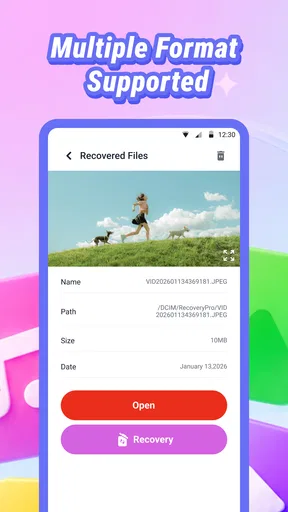
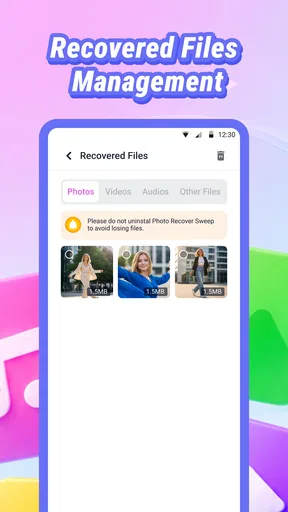
If you find the right item, think about where it will be saved and whether you can verify it afterward. A recovered file is only useful if it opens and is easy to locate. I would check it in the destination folder or gallery, then make a separate backup if it is important. Keeping the recovered copy away from the folder being cleaned up also makes it less likely to be deleted again during the same housekeeping session.
For a video, check more than its thumbnail: open it and confirm that it plays beyond the first moment. For a photograph, zoom in enough to see whether the file is intact rather than merely a partial preview. These checks are simple, but they help avoid the false relief of finding an entry that turns out not to be a usable copy.
Read the version and compatibility in context
The current release is version 1.3.0.0, and the stated minimum operating-system requirement is Android 7.0. If you are considering the app for an older phone, check that the device meets that requirement before building your recovery plan around it. The version number is useful when discussing an issue or comparing what is installed, but it does not tell you whether a particular deleted file is recoverable.
Photo Recover Sweep has an average rating of 4.2 from 623 ratings and more than a million installs. That gives a prospective user some indication that it has reached a broad audience, but recovery outcomes are inherently dependent on each phone and deletion history. I would not treat popularity or a favorable rating as evidence that it can retrieve a specific file from a specific device.
Build a careful routine around the app
A repeatable routine matters more than rushing through a recovery attempt. I’ll look at the choices and permission prompts in context, then use a consistent order for checking likely results and verifying anything I recover; that makes the app easier to use thoughtfully without mistaking a scan for a backup plan.
Settings worth checking before you begin
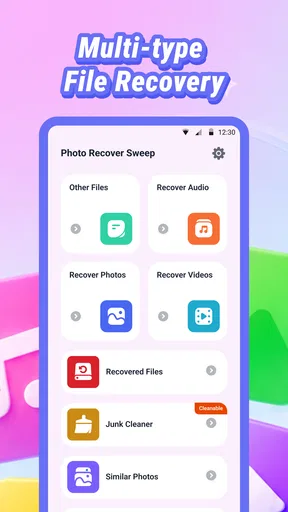
Before starting, take a moment to review any choices the app shows on its own screens. Pay attention to what file types or locations you are asking it to search, if those choices are presented, and read permission prompts in context. Grant only what is needed for the task you intend to perform. That is sensible practice for any file-recovery utility, especially one working with personal photos and documents.
I would also make sure the phone has enough free space to handle any recovered files and that the battery is not close to empty. A recovery attempt is a poor time to discover that storage is full or the device is about to shut down. These are practical preparation steps, not claims that the app includes a storage manager or a special battery feature.
If the interface offers sorting or filtering, use it to narrow the search rather than scrolling through every result. Start with the type of item you actually lost, then broaden the search only if that does not help. If such controls are not available in your version, keep the search focused by checking results in manageable batches and noting which files you have already reviewed.
Make the process repeatable, not frantic
Experienced recovery work is often more about discipline than tapping faster. I would use a simple sequence each time: stop unnecessary phone activity, check the built-in trash and backups, search in the recovery app, inspect likely matches, and confirm the restored copy. Following the same order makes it easier to notice what has already been checked and reduces the temptation to run the same broad search repeatedly without learning anything.
A useful habit is to record a short note outside the recovery process: what file you are looking for, where it was last stored, and which locations you have checked. This is especially handy if you need to pause or ask someone else for help. It also keeps a search for one lost video from turning into an unfocused hunt through every image and document on the device.
For future protection, I would set up a regular backup routine rather than relying on recovery software as a safety net. A recovery app can help when something goes wrong, but backups are the more dependable answer for files that matter. Once you recover an important item, copy it to a trusted backup location and verify that it is there; do not assume that a successful recovery makes the original storage safe to keep using without another copy.
Where it fits beside the usual alternatives
Compared with a phone’s Recently Deleted folder, a recovery utility is a different kind of check: the built-in folder is usually the obvious first place for a recently removed photo, while a recovery app is worth considering when that route does not find it. Cloud backups are better when the missing file had already synced. A computer-based recovery tool may be more appropriate for certain storage situations, particularly when you need a more controlled workflow or the phone is difficult to use.
Those alternatives are not interchangeable. If the file is in a cloud archive, scanning the phone may add little. If it was stored on a removable card, removing the card and avoiding further writes may be a more cautious route than continuing to use the device. If the data is irreplaceable, I would stop experimenting and consider professional help rather than treating repeated scans as harmless.
Know what the app cannot promise
Deleted data is not always recoverable. It may have been overwritten, the storage may no longer retain the needed information, or the file may have been removed in a way that leaves no usable copy. A visible result can also be incomplete or fail to open. Those limits apply to recovery methods generally, so I would be wary of any tool or workflow that makes a successful outcome sound certain.
Photo Recover Sweep is also not the right answer if you have not yet checked the place where the file was originally stored, or if your main need is long-term backup and organization. It is a focused utility for a recovery attempt, not a substitute for a photo library, a backup plan, or careful file management. Keeping that distinction clear helps set realistic expectations before you spend time searching.
My verdict after considering the workflow
I would recommend Photo Recover Sweep to someone who wants a free, phone-based option to investigate missing images, videos, or files, especially after checking the device’s own deleted-items folder and any existing backup. Its clear recovery purpose is appealing, and the broad install base suggests many people have found it worth trying. The 4.2 average rating is a useful reference point, but I would still judge the result by whether the exact file can be opened and safely copied.
The app is a weaker choice for anyone expecting a guaranteed restore, looking for a backup service, or dealing with especially valuable data on a device they should stop using. In those cases, a verified backup or specialist recovery route is the more responsible option. My practical advice is to keep the search narrow, avoid writing new data, and confirm every recovered file before trusting it.
Overall, I see Photo Recover Sweep as a sensible tool to have in mind for a specific problem, not something that replaces good storage habits. If you use it calmly and pair it with checks of your gallery trash and backups, it gives you another avenue to try without confusing recovery with prevention. That is the balance I would want from a utility like this: useful when needed, but never the only plan for files I cannot afford to lose.
Pros
- Simple interface makes recovery options easy to find.
- Can scan for deleted photos without requiring technical skills.
- Previewing found images helps identify files before recovery.
- Useful for checking whether recently deleted pictures are recoverable.
- Lightweight utility that can be handy for occasional recovery attempts.
Cons
- Recovery success depends on whether deleted data has been overwritten.
- May not restore every image
- especially after extensive device use.
- Deep scans can take time and may consume battery.
- Recovered photos may not retain their original folders or organization.
- Be cautious about granting access to personal photos and storage.
FAQs for Photo Recover Sweep
What does Photo Recover Sweep do?
Photo Recover Sweep is intended to help you find and restore photos that may have been deleted from your device. Its results depend on where the images were stored, how they were removed, and whether the storage space has since been overwritten. Check the app’s description and permissions before installing, as recovery capabilities can differ by device and operating system.
Can Photo Recover Sweep recover every deleted photo?
No recovery app can guarantee that every deleted image will be restored. A photo may be unavailable if its data has been overwritten, removed permanently, or stored somewhere the app cannot access. For a better chance of recovery, avoid saving new files or installing extra apps on the affected storage until you have checked the available recovery options.
Is Photo Recover Sweep available for Android and iOS?
Availability can vary by platform, country, and time, so look for Photo Recover Sweep in the official Google Play Store or Apple App Store before downloading. Confirm that the developer name and app listing match the product you intend to install. Be cautious of similarly named apps or third-party download pages, which may offer a different application.
Does Photo Recover Sweep require special permissions or access to my photos?
A photo-recovery app may request access to images, files, or device storage to search for items and display possible results. Review each permission prompt and grant only access that makes sense for the feature you are using. If the requested permissions seem unrelated, consult the store listing and privacy information before proceeding, and avoid sharing sensitive files unnecessarily.
Is Photo Recover Sweep free, and are there in-app purchases?
Pricing and available features can change, so check the current store listing for the latest details before downloading. Some apps offer a free scan but require payment or a subscription to save recovered files, while others may include advertisements or optional purchases. Read the payment terms carefully, including renewal and cancellation information, before starting any trial or subscription.


